Children in elementary school today will enter a workforce that looks very different from the one their parents knew. Almost every job, from farming to medicine, now involves digital tools, and the ability to understand how those tools work is becoming as basic as reading or arithmetic. The good news is that technology skills can be taught early, in playful and age-appropriate ways, without turning the classroom into a screen-filled lab. This guide explains what to teach, how to teach it and how to include every child.
What Tech Skills Mean for Young Learners
For children aged five to eleven, technology skills are not about advanced programming. They include using a keyboard and mouse comfortably, finding and evaluating information, creating simple digital work such as drawings, stories and presentations, understanding that computers follow instructions and learning how to stay safe online. These building blocks prepare students for more complex tasks in later years.
Equally important are the habits behind the skills: curiosity, patience, the willingness to try again after a mistake and the ability to explain a problem clearly to someone else.
Unplugged Activities Come First
Many of the best early lessons need no device at all. Children can act out an algorithm by giving a classmate step-by-step directions to cross the room, sort cards by color and size to learn about patterns, or follow a recipe to see how instructions create a result. These games teach logic and sequencing in a way that feels like play.
Once children grasp the ideas physically, moving to a screen is easier, and they understand what the computer is doing instead of treating it as magic.
Simple Coding With Blocks
Block-based tools let children drag and connect colorful commands to make characters move, animals dance or stories unfold. Mistakes are visible and easy to fix, which builds resilience. Teachers can start with short sessions of fifteen or twenty minutes and increase the challenge as pupils gain confidence.
Praise the process of debugging as much as the finished project, because children who learn that fixing mistakes is normal become more confident problem solvers.
Robots and Hands-On Making
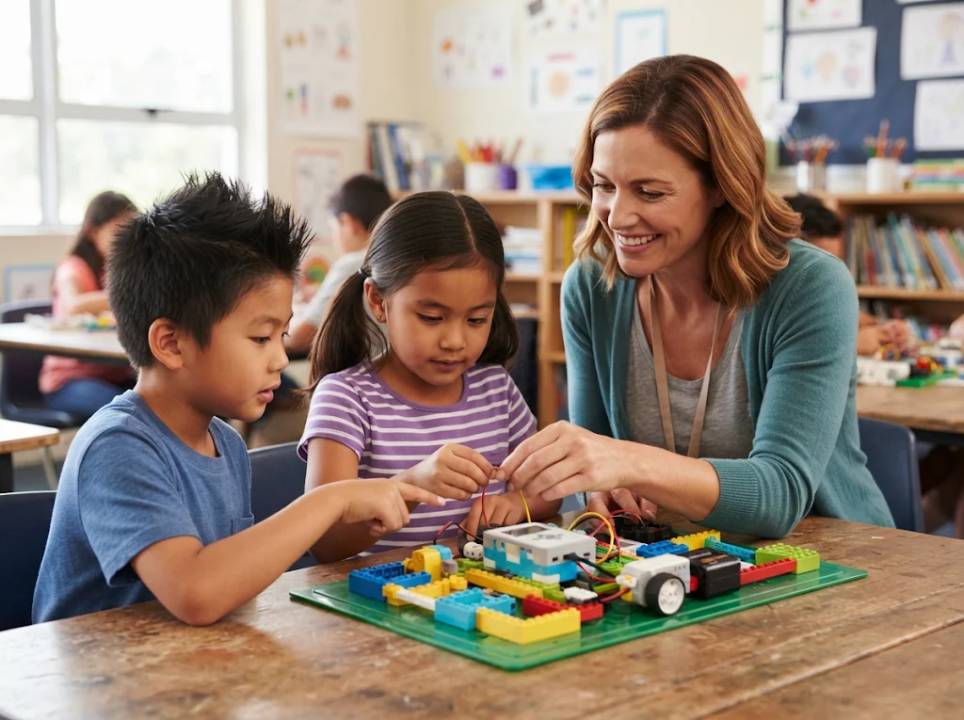
Floor robots, building kits and simple circuits turn abstract ideas into something children can see and touch. Working in pairs encourages conversation, and building something real gives pupils pride in their results. Keep projects short, give clear goals and allow time for free exploration.
Store materials in labeled boxes so that setting up and tidying away takes minutes, not half the lesson.
Online Safety From the Start
Young learners need to understand privacy, kindness and critical thinking online. Teach them not to share personal information, to tell an adult when something feels wrong and to think about whether information comes from a reliable source. Use stories, role play and posters to make rules memorable.
Involve parents with short guides and meetings, so that the same messages are repeated at home.
Supporting Multilingual Classrooms
Many schools now include children who speak another language at home. A newly arrived pupil may be fluent in Ukrainian or Arabic and still learning the language of instruction. Visual tools, icons and demonstrations help them take part immediately. School letters, safety rules and permission forms should be offered in home languages, for example with help from english to ukrainian translation, so that families can understand and join in.
Pair newcomers with friendly classmates, and celebrate the languages in the room.
Interpreters and Translators in School Life
Parent meetings, medical forms and special education plans sometimes need language support. It helps staff to know what each professional does, and our short explanation of the difference between an interpreter and a translator makes the roles clear. Using trained professionals instead of children as interpreters protects both accuracy and the child.
Schools can keep a simple list of approved providers and a procedure for requesting help.
Free Resources for Teachers
Many organizations offer free lesson plans, videos and activities for teachers with no programming background. The Code.org learning resources is one widely used example, with age-graded courses that can be adapted to different time frames and equipment.
Share useful finds with colleagues and build a small library of favorite lessons.
Connecting Tech to Other Subjects
Digital skills are easiest to learn when they serve a purpose. Pupils can create animated stories in language lessons, graph data in science, design patterns in art or compose music with simple software. This keeps lessons meaningful and avoids treating technology as a separate subject.
Plan projects that bring several subjects together.
Assessing Progress Fairly
Use observation, short quizzes and portfolios of student work to judge progress. Ask pupils to explain what they did and why, and let them give feedback to each other. Avoid comparing children and focus on growth over time.
Share simple progress summaries with families.
Including Every Child
Not every home has a computer or fast internet. Schools can provide lunchtime clubs, loan devices and offer printed alternatives. Girls and children from underrepresented groups may need encouragement and role models, and pupils with special needs may benefit from adapted tools and extra time.
Equal access is a matter of fairness and also a way to discover hidden talent.
Training and Supporting Teachers
Teachers need time and confidence. Short workshops, peer coaching and shared planning help staff try new activities. Start small, share successes and allow room for mistakes.
School leaders can support this by providing equipment, scheduling time and recognizing effort.
Working With Parents
Invite families to open days where pupils show their projects. Offer short guides on screen time, privacy and helpful apps. Listen to concerns and explain how technology supports learning instead of replacing teachers.
Translated materials ensure that all parents can take part.
Final Thoughts
Teaching technology in elementary school is about curiosity, logic and creativity, not about expensive gadgets. Begin with play, build confidence step by step, protect children online and include every family.
The skills pupils gain now will serve them for life.
Sample Weekly Plan
A simple schedule might include one unplugged logic game, one short coding session, one making or robotics activity and one lesson on safe online behavior. Keep sessions short and consistent, and finish each with a quick sharing time where pupils show what they made.
Adjust the plan to the age of the class and the equipment available.
Choosing Devices and Software
Tablets, laptops and simple programmable toys all have a place. Choose reliable, easy-to-use tools with good support and no hidden advertising. Test everything before the lesson, and have a back-up plan for when the internet fails.
Ask pupils and parents for feedback, and replace what does not work.
Looking Ahead
New tools such as voice assistants and generative systems will reach classrooms, and teachers will need to guide pupils in using them thoughtfully. The core skills of questioning, checking and creating will stay valuable.
Schools that build these habits early will prepare children for a changing world.